The data search tool allows administrators to view all time entries from all drivers and make adjustments to any regular and extra trip hours.
Things to do:
- View all data entries.
- Edit time entries.
- Edit extra trip ticket entries.
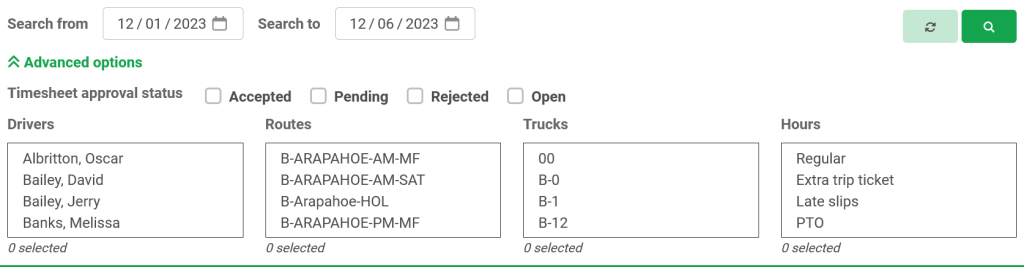
Step 1: Serach for time entry Enter the date parameter that you wish to search from.
The advanced options allow you to narrow down the search you can select from:
- Timesheet approval status
- Drivers
- Routes
- Trucks
- Hour type
Click the green magnifier button to load results.
Step 2: Adjust Entry Once the results load the regular drivers’ hours and extra trip ticket entries can be edited. Simply click on the entry that you wish to edit, and a pop-up window will appear. Here you can edit:
- Route
- Truck number
- Date
- Start & End time
- Add or edit notes
Once the proper changes are made click or select the green save changes button. Or cancel any changes with the cancel changes button.
