Tempo for KACK Enterprise
Tempo is a time keeping system that allows you to track hours. Making it easier for drivers to log time on the go. All time should be kept for each day of completed work.
Step 1: Once logged into Tempo locate the lefthand side of the screen, this will display a shortcut for logging in your time. All starred items must be completed for time to be logged correctly and approved. This includes: ( Route, Truck number, Date, Start time, End time)
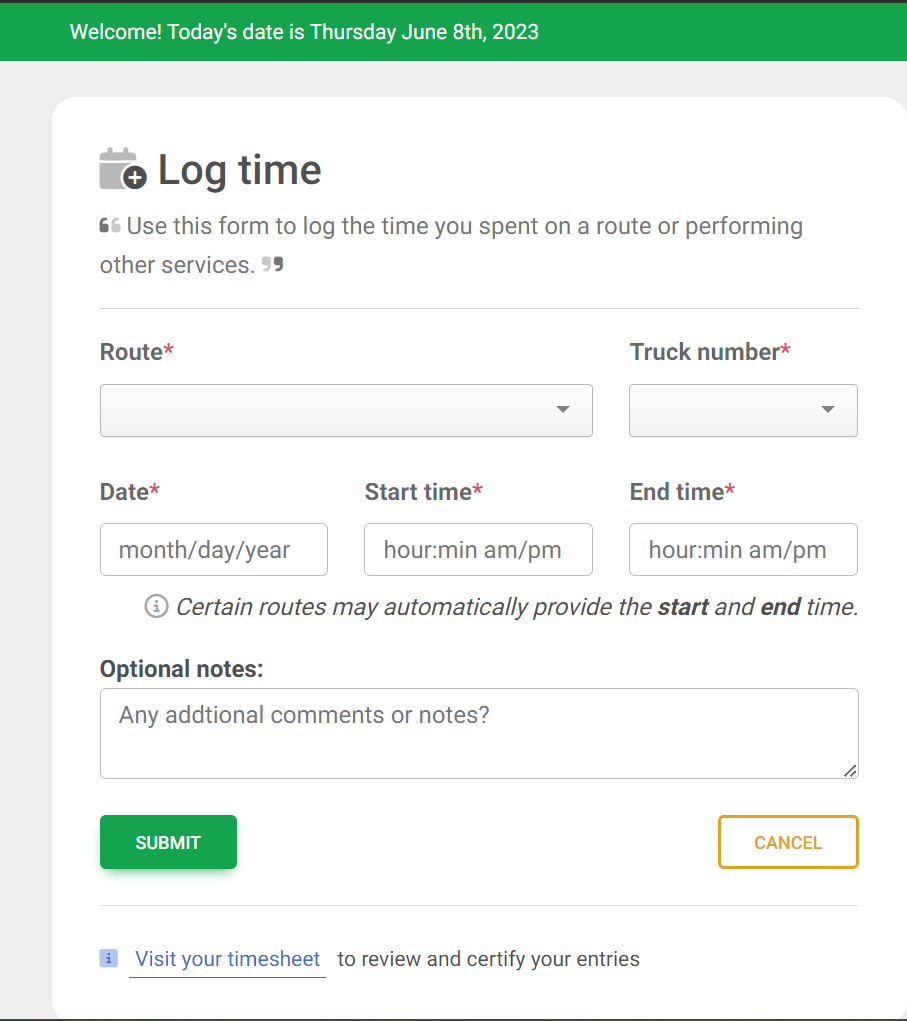
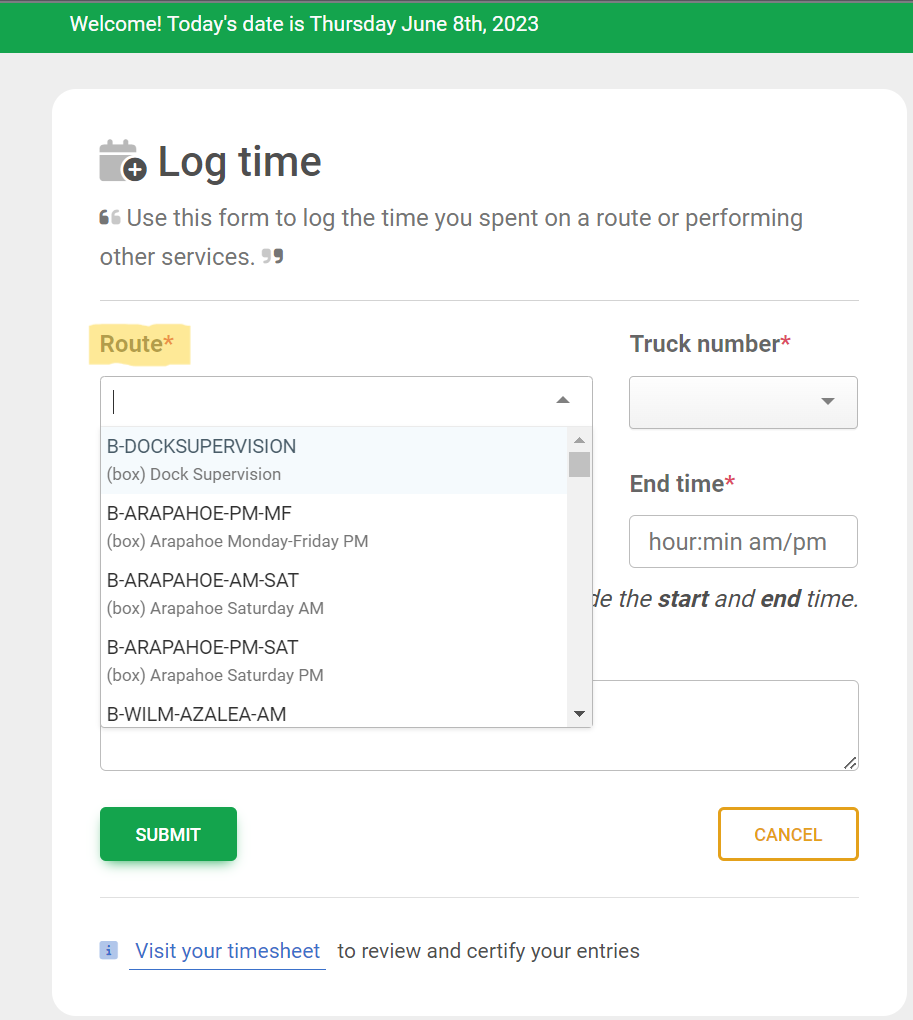
Step 2: The first option is the Route this dropdown will display the billing codes for your contractor. Choose the billing code for the work done on that date. Each code will have a brief description to better help you log time.
Step 3: The truck number is for the box truck that was used during the time of the route. Each box truck should have a number associated with it.

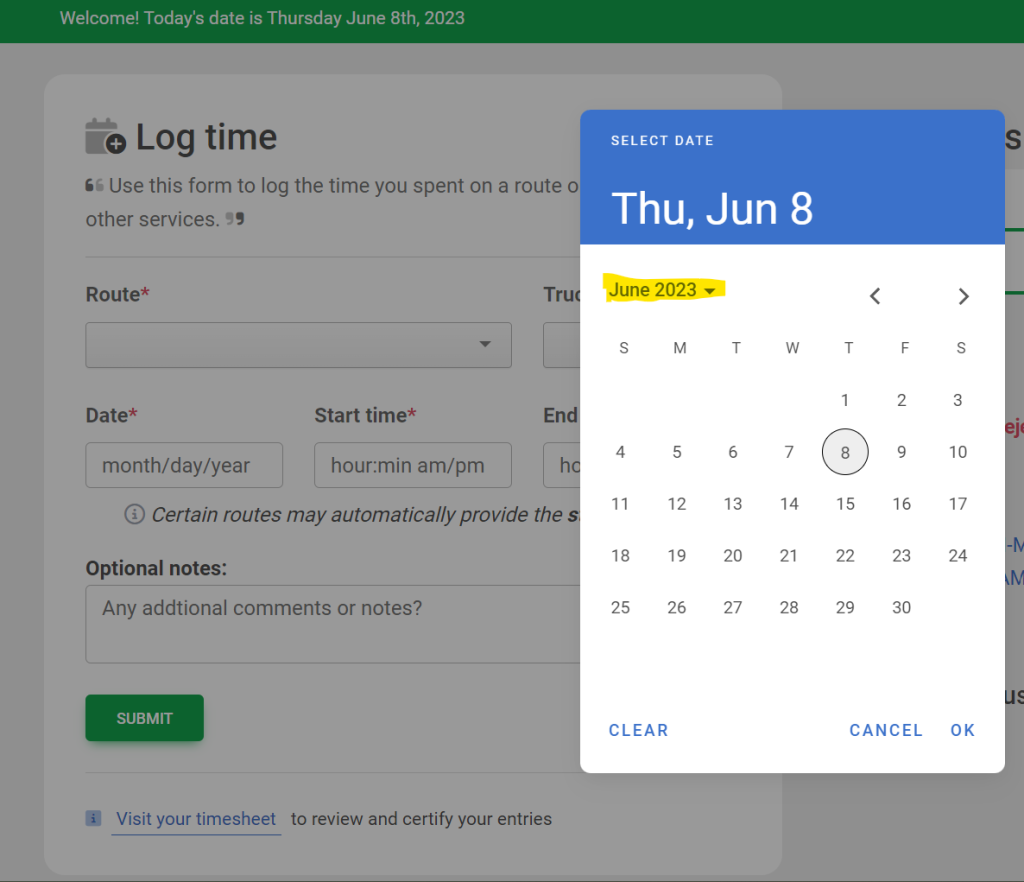
Step 4: Select the date the route was completed on. A popup window will appear it will automatically display the current date. The month and year will be in small text use the arrows to go back to previous months. It is easier to track time after each route is completed. Click ok once the correct date is selected.
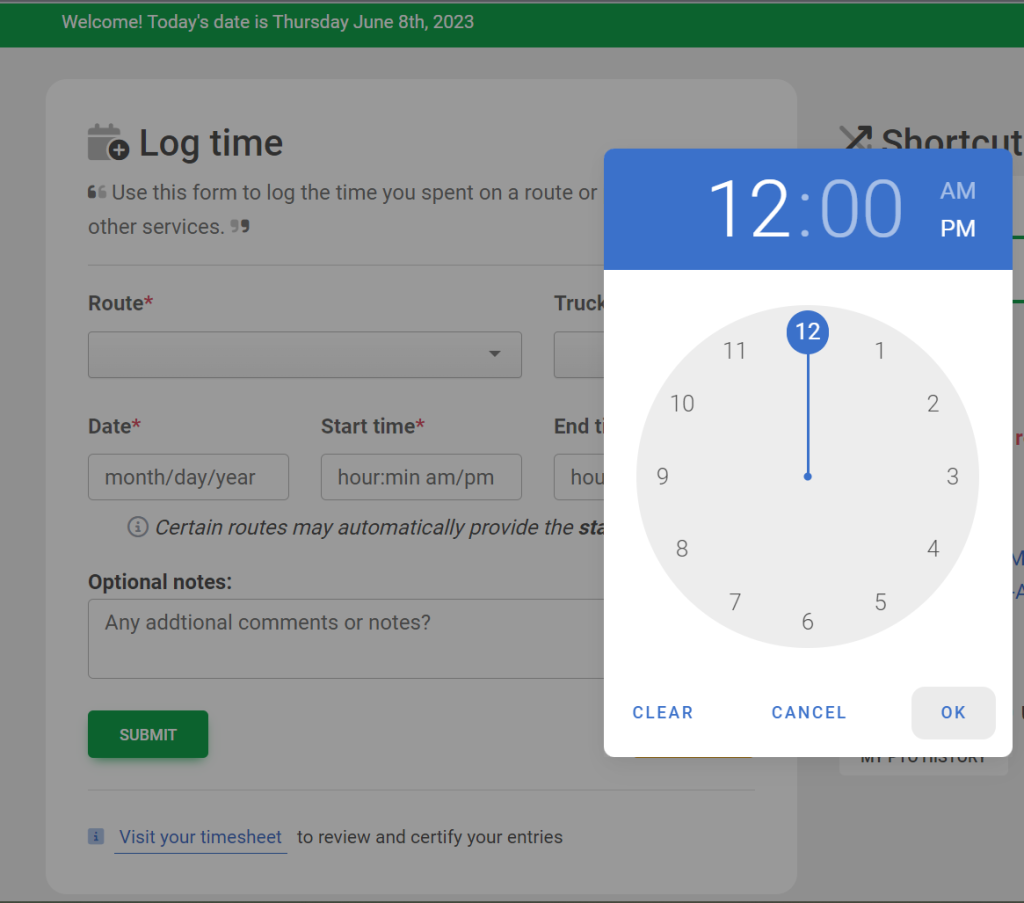
Step 5: Select the start time in which you started the route the popup will display allowing you to enter the time. It will show the hours first and then allow you to select the minutes in which you started the route. The AM and PM buttons will show to the right of the numbers be sure to log correct start time. (Some routes may already have preset start and end times). The same popup window will appear for the end time as well. Repeat previous steps to enter end time.
Note: It is optional to add any notes to the timesheet.